Content sprawl happens when content grows without a clear structure or plan. It rarely feels like a problem at first, but over time, it makes sites harder to navigate, update, and maintain. It feel...
Optimization becomes harmful when it prioritizes metrics over clarity and stability. Avoiding over-optimization helps you improve performance without creating new problems.
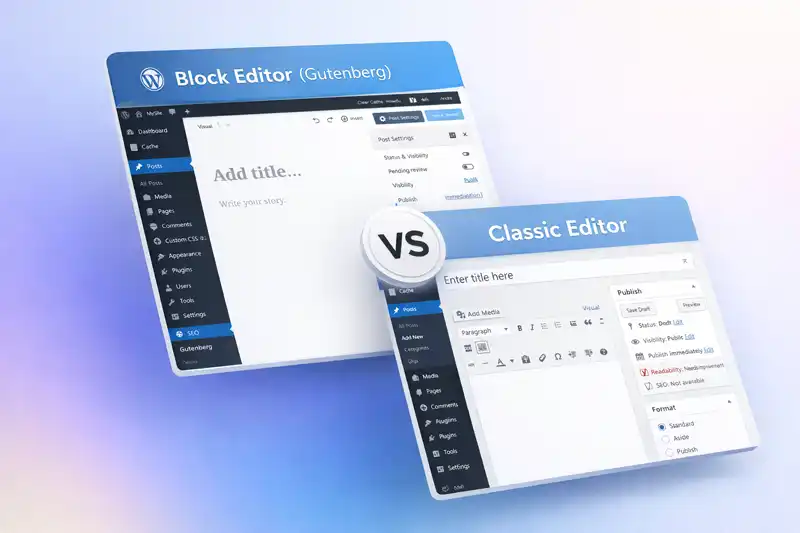
Block editors, like WordPress's Gutenberg, are often hailed as a revolutionary step in content creation, while traditional editors, such as Joomla's TinyMCE, are sometimes seen as outdated. However...
Caching is one of the most common performance terms in WordPress, and also one of the most misunderstood. Understanding what caching does—and what it cannot do—helps you apply it appropriately ...
Visual changes are often made to improve a site, but they can introduce instability if handled casually. Changing appearance safely means understanding scope, sequencing, and rollback options.
...
Choosing plugins responsibly is one of the most important decisions a WordPress site owner makes. Each plugin adds capability, but it also adds long-term responsibility.
Most WordPress site problems are not caused by bugs or attacks, but by small administrative mistakes made without understanding their impact. This tutorial highlights common admin errors and explai...
Many frustrations with Joomla come not from complexity, but from incorrect assumptions brought over from other platforms or from surface-level learning. This tutorial addresses common beginner misu...
WordPress is widely used, which means advice about it is everywhere. Unfortunately, much of that advice is incomplete, outdated, or based on edge cases rather than long-term site ownership. This tu...
Performance problems are often blamed on WordPress itself, but the causes are usually structural or environmental. Understanding the most common performance issues helps you avoid guesswork and unn...
Content organization determines how easy your site is to navigate, maintain, and expand. Poor organization rarely causes immediate failure, but it creates long-term friction that is difficult to un...
Content organization in Joomla is not about perfection; it's about consistency. Sites that remain easy to manage over time usually follow a few repeatable patterns. This tutorial brings together pr...
Most debates about content management systems aren’t really about features, performance, or even usability. They’re about workflow. Specifically, they’re about the order in which decisions ar...

WordPress is approachable on the surface, but several core concepts shape how it behaves behind the scenes. Understanding these concepts helps you make better decisions, avoid unnecessary plugins, ...
Articles are the primary content element in Joomla. While creating an article is straightforward, managing articles responsibly involves understanding categories, publishing states, options, and re...
Posts and pages look similar in the WordPress editor, but they serve different purposes. Choosing the right one affects navigation, organization, and how your site grows over time.
WordPress themes often provide multiple ways to adjust appearance. The most common are the Customizer and theme-specific settings panels. Knowing how they differ helps you make changes intentionall...
Failed updates are stressful, but panic causes more damage than the failure itself. Understanding how update failures present—and how to respond safely—helps you limit impact and recover more e...
A WordPress theme controls how your site is presented to visitors. Understanding what themes do and what they should not do helps you avoid fragile setups and makes future changes far less disrupti...
WordPress updates are a normal part of site ownership. Understanding what gets updated, how updates are delivered, and what they affect helps you approach maintenance with fewer surprises and bette...
Before managing a WordPress site confidently, it helps to understand how WordPress works at a high level. This tutorial explains the core parts of WordPress, how they interact, and why that structu...
After Joomla is installed, the next critical step is initial configuration. These early decisions affect site stability, troubleshooting, SEO behaviour, and long-term maintenance. This tutorial wal...
This tutorial walks through installing Joomla on a typical shared or VPS hosting environment. The goal is a clean, predictable installation that gives you a stable base for configuration and conten...
Joomla configuration is distributed across several areas rather than being centralized in a single screen. This is intentional, but it can confuse site owners who expect one place to control everyt...
Extensions are one of Joomla’s strengths, but they are also a common source of instability. This tutorial explains how to install, configure, update, and remove extensions responsibly so your sit...
Media files are shared resources in WordPress. How you upload, reuse, and delete media affects performance, storage, and content stability across the entire site.
WordPress uses a role-based permission system to control what users can see and change. Understanding how this system works helps you collaborate safely without exposing your site to unnecessary ri...
Joomla’s Media Manager is simple by design, but how you use it has long-term consequences. Poor media habits lead to clutter, broken links, oversized backups, and confusion during redesigns. This...
The Joomla Administrator interface can feel overwhelming at first, especially if you are new to the platform or coming from another CMS. This tutorial explains how the admin area is organized, what...
The WordPress dashboard is where all site management happens. Understanding its structure helps you move confidently, find what you need quickly, and avoid changing settings unintentionally.
...