
Joomla configuration is distributed across several areas rather than being centralized in a single screen. This is intentional, but it can confuse site owners who expect one place to control everything. This tutorial explains where key settings live and how to think about configuration scope before making changes.
Before You Start
- You should be logged in as a Super User.
- You should be familiar with the Joomla Administrator interface.
- No extensions are required.
Global Configuration: Site-Wide Defaults
Global Configuration defines default actions and functionality for the entire site.
What Typically Lives Here
- Site name and offline mode
- Default editor and access level
- Error reporting and debugging
- Cache and session defaults
- Server and logging paths
Changes here affect everything unless overridden elsewhere.
Component Options: Feature-Level Configuration
Each component usually has its own options screen.
Examples
- Articles default layouts and metadata
- Media Manager restrictions
- Search and indexing
Component options apply to all uses of that component unless overridden by menu items.
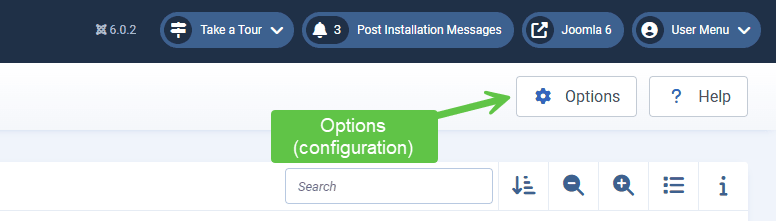
Menu Item Settings: Page-Level Overrides
Menu items often include their own configuration options and will override the options from the source being linked to. This is because menus will always have priority.
Why Menu Settings Matter
- They define page context
- They override component defaults
- They influence layout and metadata
Many “inconsistent” issues can trace back to menu-level overrides. For example, if an article has the option to show the "Published" date and then you make a menu item linking to that article with the "Publish" date disabled, the article on the front-end will have the publish date disabled (overridden).
Module Settings: Display and Assignment Rules
Modules have their own configuration and assignment logic.
Key Module Areas
- Display options and layouts
- Menu item assignment
- Access level visibility
Module issues are often assignment issues rather than configuration bugs.
Plugin Settings: Behind the Scenes
Most plugins influence how Joomla behaves behind the scenes.
What Plugins Commonly Control
- Authentication methods
- Content filtering and processing
- System events and routing
- Handle payment processing (for e-Commerce websites)
Because plugins are less visible, they are frequently overlooked during troubleshooting.
User and Access Configuration
User-related settings are distributed across several areas.
Common Locations
- User options (registration, passwords)
- User groups and permissions
- Access levels
- User profile management
Visibility and permission issues often require checking more than one screen.
A Practical Troubleshooting Order
When something behaves unexpectedly, a simple review order helps:
- Menu item settings
- Component options
- Module assignment
- Plugin configuration
- Global configuration
This order reflects how Joomla resolves overrides.
Why Joomla Is Structured This Way
Distributed configuration allows:
- Page-specific behavior
- Reusable content
- Flexible layouts
The trade-off is that configuration awareness becomes part of responsible site ownership.
Verify Your Results
- You know where to look for site-wide settings.
- You understand how menu items override defaults.
- You recognize plugin influence.
- You follow a consistent troubleshooting order.
Common Issues
- Settings “not sticking”: Lower-level overrides are active.
- Different pages behaving differently: Menu-level configuration differences.
- Unexpected issues after updates: Plugin defaults may have changed, such as a function removed or modified.
Related Tutorials / Next Steps
- Managing Extensions Safely
- Understanding Users, Permissions, and Roles
- Next category: Content Basics
Knowing where configuration lives is often the difference between calm troubleshooting and unnecessary rework.