
- Start Here
Explore GeJay Media
Content

Content-First vs Layout-First CMS Workflows
Most debates about content management systems aren’t really about features, performance, or even usability. They’re about workflow. Specifically, they’re about the order in which decisions ar...

How Joomla Access Levels Control Who Can See Your Content
- A practical introduction to Joomla viewing access levels, user groups, and controlling which visitors can see different parts of your website.
Most Joomla websites do not need complicated access rules. A public blog, business website, or informational site may make nearly everything available to everyone. However, Joomla also includes a b...

How Joomla Helps Visitors Find Content Beyond the Search Box
- Explore how Joomla combines navigation, categories, tags, related content, and Smart Search to give visitors different ways to discover useful content.
When people think about finding content on a Joomla website, the search box is usually the obvious starting point. But visitors discover information in several other ways before they ever type a se...

How Major CMS Extensions Can Change Your Website Structure
- Learn how major CMS extensions can affect content types, URLs, navigation, users, and other parts of your website architecture before you build around them.
Installing an extension can sound like a relatively small change to a website. You need a particular feature, find an extension that provides it, install it, configure a few options, and continue b...

How to Plan a Website Content Structure Before You Start Building
- Plan your website content structure before you start building by identifying content types, major functionality, relationships, and the hierarchy your CMS will need to support.
It is tempting to start building a website by opening the CMS and creating pages, categories, menus, and other content as you need them. That can work for a very small site, but it can also leave y...

Joomla Categories: How to Structure Content Without Overcomplicating It
- Learn how to structure Joomla categories around real content, decide when to use subcategories, and keep your content organization manageable as the site grows.
Joomla categories provide the main editorial structure for articles, but that does not mean every subject, content variation, or future idea needs a category of its own. A category works best when ...
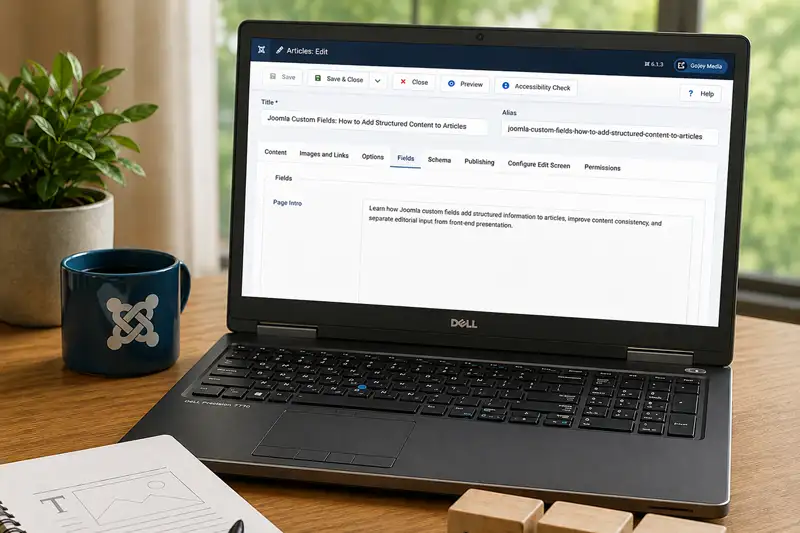
Joomla Custom Fields: How to Add Structured Content to Articles
- Learn how Joomla custom fields add structured information to articles, improve content consistency, and separate editorial input from front-end presentation.
Joomla articles can contain much more than a title and a body of text. Images, author information, publishing dates, categories, tags, and other properties can all contribute to the finished conten...

Justin Welsh’s Content Operating System
Creating consistent, high-quality content for your Joomla or WordPress site can be daunting. As a solopreneur running andrejutras.ca, I faced this challenge until I discovered Justin Welsh's Conten...

Managing Media in Joomla Without Creating a Mess
- Keep Joomla's media library manageable with better folder organization, filenames, upload habits, duplicate control, and safer handling of existing files.
Uploading an image or document to Joomla takes only a few moments. Managing hundreds or thousands of those files over the life of a website is a different problem and can cause several unexpected c...

When to Use Categories and Tags in Joomla
- Learn how Joomla categories and tags serve different purposes, when tags can improve content discovery, and how to avoid creating an unnecessarily complicated content structure.
Joomla gives you both categories and tags for organizing content, but that doesn't mean every website needs to use both extensively. Categories usually provide the primary structure for articles. T...
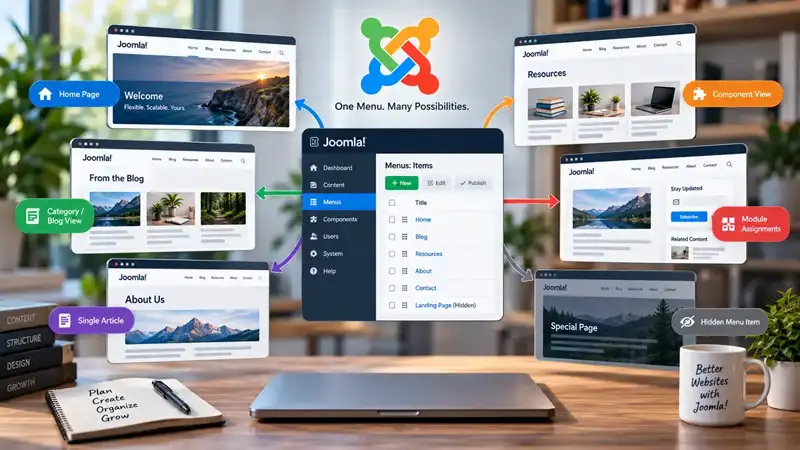
Why Joomla Menu Items Matter Beyond Navigation
- Learn why Joomla menu items do more than create navigation links, and how they help establish page context, module assignments, Template Styles, and hidden menu structures.
Menus are usually associated with navigation. You create a link, place it in a menu, and visitors use it to move from one part of a website to another. Joomla menu items certainly perform this job...