
The WordPress Block Editor, often referred to as Gutenberg, is the default content editor in modern versions of WordPress since version 5. For many site owners, it represents one of the most visible changes WordPress has made in recent years. This article explains what the Block Editor is, why it exists, and what it means for long-term content management.
Before You Start
This article is not a tutorial on how to use blocks or build layouts. It focuses on understanding the editor conceptually so site owners can make informed decisions and avoid unnecessary frustration. Detailed editing techniques are intentionally out of scope.
What the Block Editor Is
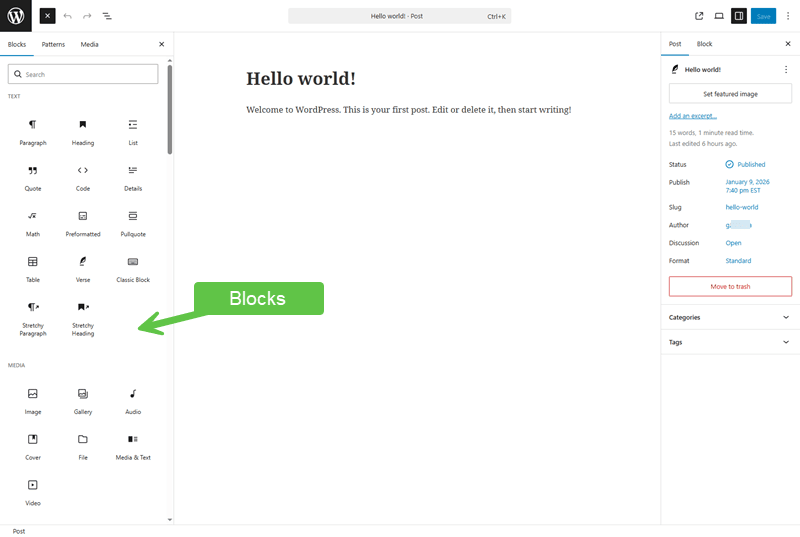
The Block Editor treats content as a collection of individual components called blocks. Each block represents a specific type of content, such as a paragraph, image, heading, list, or embedded media.
Instead of working in a single, continuous text field, content is assembled from these discrete blocks, each with its own settings.
Why WordPress Introduced Blocks
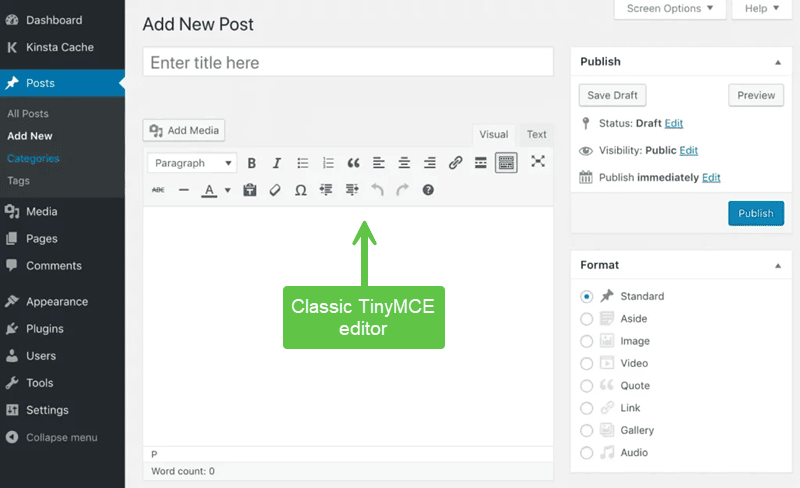
The Block Editor was introduced to modernize how content is created and structured in WordPress. Historically, WordPress relied on a single editor (TinyMCE) that mixed content, formatting, and layout in ways that were difficult to manage consistently.
Blocks aim to:
- Encourage structured, predictable content
- Reduce reliance on shortcodes and custom formatting
- Improve compatibility across themes and devices
- Lay the foundation for broader site editing features
What the Block Editor Does Well
For site owners, the Block Editor offers several practical advantages:
- Clear separation between different content elements
- More consistent handling of media and embeds
- Improved long-term compatibility with WordPress updates
- The ability to change the order or positioning of block elements in a page or post
These benefits are most noticeable over time rather than immediately.
Common Friction Points
The Block Editor can feel unfamiliar, especially to users accustomed to the older “classic” editing experience. Common challenges include:
- Perceived complexity compared to a single text field
- Uncertainty about where formatting is controlled
- Confusion between content structure and visual layout
These issues often stem from expectation mismatch rather than technical problems.
The Classic Editor Context
WordPress still allows the use of the Classic Editor through an official plugin, and some site owners choose this path to preserve familiar workflows. However, the Block Editor is the long-term direction of WordPress.
Over time, classic-based approaches will become less compatible with new features, themes, and tools. Using the Classic Editor is a temporary accommodation, not a future-facing strategy.
What the Block Editor Is Not
It is important to understand the limits of the Block Editor:
- It is not a full design or page builder system
- It does not eliminate the role of themes
- It does not remove the need for planning content structure
Verify Your Understanding
You should now be able to:
- Explain what the WordPress Block Editor is
- Understand why WordPress moved to a block-based system
- Recognize common sources of friction
- Place the Classic Editor in a proper long-term context
Common Issues
- Expecting the editor to handle design decisions
Layout and appearance remain primarily theme responsibilities. - Fighting the block structure
Treating blocks as obstacles instead of structure increases frustration. - Assuming classic workflows will remain permanent
Long-term compatibility increasingly favours blocks.
Related Tutorials / Next Steps
- Creating Posts vs Pages
- Managing Media Responsibly
- Understanding WordPress Full Site Editing
The WordPress Block Editor represents a structural shift rather than a cosmetic one. Site owners who understand its purpose and limits are better positioned to create maintainable content and adapt calmly as WordPress continues to evolve.