
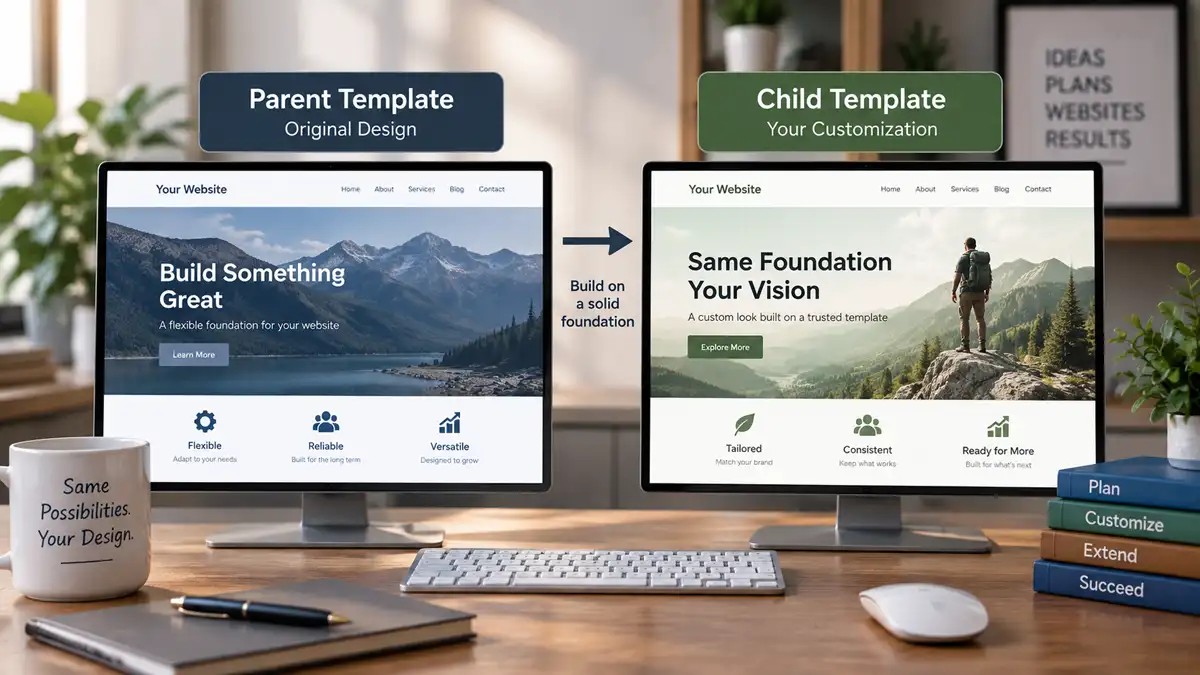
Customizing a Joomla template can begin with relatively simple changes. You might adjust colours and typography through Template Styles, create an override for a particular layout, or add custom CSS for smaller presentation changes.
Eventually, however, you may need to make more substantial changes while still relying on an existing template as the foundation of the site. Joomla Child Templates provide another option for handling that situation.
A Child Template is related to a parent template but can contain its own files and customizations. This allows you to build on the parent rather than modifying its files directly, while keeping the relationship between the original template and your customized version more deliberate.
Child Templates aren't necessary for every Joomla website. Understanding what they change and how they differ from Template Styles and template overrides can help you decide when creating one is worthwhile.
What Is a Joomla Child Template?
A Joomla Child Template is a template that uses another installed template as its parent.
Instead of beginning as a completely independent template containing everything it needs, the child can rely on an inheritable parent template while introducing its own template files and customizations where required.
Not every Joomla template necessarily supports Child Templates, so this option also depends on how the parent template has been built.
This creates a useful separation. The parent remains the underlying template, while the child becomes the place for changes that are specific to your implementation.
The idea is particularly valuable when the starting template already provides most of what the website needs. Rather than copying or rebuilding the entire template simply to change part of it, a Child Template can provide a separate customization layer.
A Child Template is not simply another Template Style. A Template Style stores a configuration of a template, while a Child Template is a related template with its own files and customization possibilities.
Why Modifying the Parent Template Directly Can Cause Problems
When a template is close to what you need, directly editing its files can seem like the fastest route to the finished website.
The problem is that those changes become mixed with the template's original files.
That makes it harder to distinguish your work from the parent template's implementation. It can complicate maintenance, make troubleshooting more difficult, and create additional work when the parent template changes.
Updates deserve particular consideration. If an update replaces a file that you modified directly, your customization can be lost or require manual reconciliation. Even when a particular update doesn't overwrite the changed file, maintaining undocumented modifications inside the parent makes future changes harder to evaluate.
Keeping custom work separate gives you a clearer picture of what belongs to the original template and what was introduced for the website.
A Child Template can provide that separation when the customization belongs at the template level.
What a Child Template Can Change
The usefulness of a Child Template comes from its relationship with the parent. You can continue using the parent as the foundation while supplying child-specific files where the customized version needs to behave or appear differently.
When the child provides its own version of a file, Joomla can use that file instead of the corresponding parent file. Files that aren't supplied by the child can continue to come from the parent. This allows the child to remain relatively small rather than becoming a complete copy of the original template.
This doesn't mean every file from the parent needs to be duplicated into the child. Copying everything would undermine much of the reason for using a parent-child relationship in the first place.
A better approach is to keep the child focused on the files and resources that actually need to differ.
That distinction also makes the customized implementation easier to understand later. Instead of comparing an entire copied template with its original version, you can concentrate on the parts deliberately introduced or changed for the child.
Child Templates and Template Styles Solve Different Problems
Template Styles and Child Templates can both result in different presentations across a Joomla website, but they operate at different levels.
A Template Style is primarily about configuration. It allows you to save a particular set of options for a template and assign that configuration where appropriate on the site.
You might use multiple Template Styles when the same template needs different settings in different areas without changing the underlying template implementation.
A Child Template becomes relevant when configuration alone isn't enough, and the customized version needs its own template-level files or resources.
A useful way to think about the distinction is:
- Use a Template Style when the difference can be achieved through the template's available configuration.
- Consider a Child Template when the customized version needs file-level changes while still building on an existing parent template.
These aren't competing features. A Child Template can have Template Styles of its own, so configuration and template inheritance can be used together when the site requires both.
For a closer look at configuration and menu assignments, see Using Joomla Template Styles Across Your Website.
Child Templates and Template Overrides Are Also Different
Template overrides solve another type of customization problem.
An override allows a template to provide alternative layout output for Joomla or an extension without editing the original layout file supplied by that component, module, or other extension.
A Child Template, by comparison, addresses the relationship between one template and its parent.
The two techniques can therefore coexist. A Child Template may need an override because the customized template requires different output for a particular view or module.
The decision comes back to what you are actually trying to change.
- If Joomla or an extension is producing output that needs a different layout, a template override may be appropriate.
- If the template itself needs a customized version that remains related to a parent template, a Child Template may be appropriate.
For more on the first case, see Joomla Template Overrides: How They Work and When to Use Them.
When a Child Template Makes Sense
A Child Template is useful when the customization belongs at the template level, but you still want to build on an existing parent rather than create an entirely independent template.
For example, you might start with a parent template that already provides the overall structure and functionality you want but need a customized version for a particular website, brand, or section of a larger site.
A Child Template can also make sense when you expect template-level customizations to grow over time. Keeping those changes in a defined child can be easier to maintain than gradually accumulating direct edits inside the parent.
Another situation is when you want to preserve a clear boundary between a reusable parent and a site-specific implementation. The parent can continue to provide the common foundation while the child contains the changes that belong only to that implementation.
This can be particularly useful when maintainability matters as much as achieving the initial design. Someone returning to the website later can more readily identify where the custom work lives.
When You Probably Don't Need a Child Template
The availability of Child Templates doesn't mean every customized Joomla site should use one.
If the changes you need can be handled through the template's normal options, a Template Style may be sufficient.
If the requirement is specifically to change the layout output of a Joomla view or module, an override may be the more focused solution.
Small visual adjustments may also be better handled through the customization mechanisms already provided by the template, such as a supported custom stylesheet, rather than introducing another template unnecessarily.
Likewise, if the new design has little meaningful relationship with the proposed parent, creating an independent template may produce a clearer architecture than forcing inheritance simply to reuse a small amount of code.
The objective isn't to use the most advanced customization mechanism available. It is to use the simplest mechanism that cleanly supports the changes you actually need.
A Child Template Still Needs Maintenance
Separating customizations from the parent makes them easier to identify, but it doesn't make them independent of the parent.
The child still relies on the template it extends. The child's own custom files remain separate from the parent, but changes to the parent can still affect assumptions made by those files, particularly when they depend on parent markup, styles, scripts, assets, or other implementation details.
This means parent-template updates should still be reviewed and tested on a site using a Child Template.
The same principle applies to customizations inside the child. The more files you replace or customize, the more responsibility you take on for maintaining those differences as the parent evolves.
Keeping the child focused is therefore more than an organizational preference. It reduces the amount of custom implementation that has to be understood and maintained over time.
Choose the Customization Layer That Matches the Problem
Joomla provides several ways to customize how a website looks and behaves, and they aren't interchangeable.
Template Styles are useful when you need different configurations of the same template. Template overrides are useful when Joomla or an extension's layout output needs to change. Child Templates become useful when you need a customized template implementation that can continue building on a parent.
Choosing between them begins with identifying the level at which the change belongs.
If configuration can solve the problem, there is little reason to introduce file-level customization. If an override can solve a specific output problem, there may be no need for a broader template change. When the customization genuinely belongs to the template itself, however, a Child Template can provide a cleaner place for that work than modifying the parent directly.
The goal is not simply to protect customizations. It is to make the relationship between the original template and your changes easier to understand, maintain, and extend as the website develops.
For the broader approach to choosing and customizing a Joomla template, continue with the Joomla Templates Guide.
Related Joomla Template Articles
Explore additional articles covering Joomla templates, customization, and layout structure.