
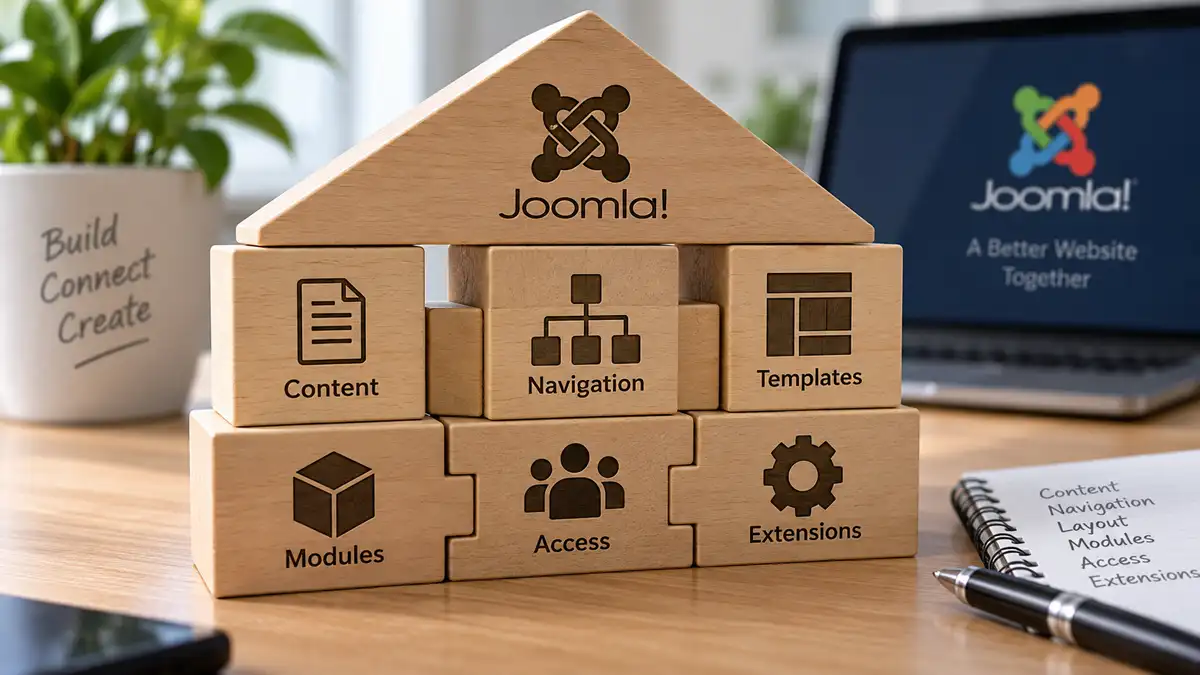
Building a Joomla website involves more than creating articles and choosing where they appear. Categories, menu items, templates, modules, access controls, and extensions each perform different jobs, but the decisions you make in one area can affect how the others work.
This is why Joomla is easier to build when its major structural features are considered together. A menu item can affect the context in which a page appears, a template determines which module positions are available, and access or extension requirements can introduce relationships across several parts of the site.
The objective is not to configure every part of Joomla before creating the first article. It is to understand the relationships well enough that each decision supports the same website structure rather than solving one immediate problem at a time.
Start With the Website Architecture
Joomla should implement the structure the website needs rather than determine that structure simply through the features available in the administrator interface.
Before making extensive Joomla configuration decisions, you should have a reasonable understanding of the site's major content areas, important functionality, and how visitors will move between different types of information. If those decisions have not been made yet, How to Plan a Website Content Structure Before You Start Building covers that earlier architectural stage in detail.
Once the underlying plan exists, Joomla provides several mechanisms for implementing it. Categories can organize appropriate types of content. Menu items can expose particular views and establish page context. Templates and modules shape how information is presented. Access controls determine who can see content and what different users are permitted to do. Extensions can introduce functionality and structures beyond Joomla's built-in capabilities.
These mechanisms should not be expected to reproduce a planning diagram literally. A conceptual section of the website might involve a category, one or more menu items, several module assignments, or functionality supplied by a component. The important question is which Joomla features best represent the relationships the website actually needs.
Use Categories to Implement the Appropriate Content Structure
Once the content architecture is understood, Joomla categories can be used where they provide a meaningful way to organize articles and other supported content. They are implementation tools within the larger website structure, not a substitute for planning that structure first.
A category should therefore have a clear organizational purpose. Avoid creating categories simply because a subject might eventually contain content, and avoid assuming that every conceptual section of the website requires a corresponding Joomla category.
The category structure also does not need to mirror the navigation. Visitors may reach categorized content through menu items, contextual links, related-content features, search, or other routes depending on how the site is designed.
For a deeper treatment of category organization itself, see Joomla Categories: How to Structure Content Without Overcomplicating It.
With the content organization established, menu items become another part of translating that structure into the website visitors actually use.
Think About Menus as Part of the Site Structure
Menu items are one of the places where Joomla's different structural systems begin to intersect. They provide navigation, but they can also establish how particular content or component views are presented and provide context that affects other parts of the page.
For that reason, the menu structure does not need to reproduce the category structure. A category may contain useful content without requiring a corresponding top-level navigation item, while an important destination may need a menu item even though it does not represent a category at all.
Instead, create menu items around the views and destinations visitors actually need. Some will belong in primary navigation, others may appear in secondary or contextual navigation, and some menu items can serve structural purposes without needing prominent placement in a visible menu.
This becomes especially important when other Joomla features depend on page context. Module assignments, layouts, and other configuration can interact with menu items, which means adding or changing a menu item can have consequences beyond the link visitors click.
For a closer look at that Joomla behaviour, see Why Joomla Menu Items Matter Beyond Navigation.
Once the important menu relationships are understood, the template provides the layout framework in which those views and their supporting modules will appear.
Match the Template to the Layout You Actually Need
The template provides the layout framework within which Joomla's content, menu items, and modules are presented. That makes the template more than a visual choice: its structure can affect how easily the rest of the website plan can be implemented.
Consider the recurring layouts the website actually needs rather than evaluating a template only by its demonstration pages. A content-focused site may prioritize readable article layouts and flexible supporting content, while another site may depend more heavily on landing pages, sidebars, calls to action, or other recurring arrangements.
Module positions are an important part of that relationship. The template determines which positions are available and where they can appear, while Joomla's module system determines what occupies those positions and under which circumstances.
It is also worth checking how the template handles the ordinary content that will make up most of the website. Article widths, headings, lists, tables, images, navigation, and mobile layouts can matter more over time than a highly customized demonstration page.
Some requirements can be handled through the template's existing options and Joomla's layout capabilities, while others may eventually justify customization. Understanding the requirement first makes it easier to tell the difference between necessary customization and changes made simply because they are possible.
The goal is not to find a template that anticipates every future page. It is to establish a practical layout framework that works with the content and navigation already planned and provides appropriate places for the modules the site actually needs.
Plan Where Modules Belong and Where They Don't
Once the template establishes where modules can appear, Joomla's module system provides control over what appears in those positions and where it is displayed. This is where the relationship between the template, menu items, and modules becomes particularly important.
Some modules have a site-wide purpose, while others are useful only within a particular section or alongside particular content. The objective is not to fill every available template position, but to decide which supporting content or functionality belongs in each context.
Module assignments allow a module to appear selectively across menu items rather than requiring a separate copy for every context. Because those assignments can depend on menu items, the menu structure established earlier can directly influence where supporting modules appear throughout the site.
This distinction between position and assignment is important. A template position determines where a module can be displayed within the layout. Its assignment helps determine on which relevant pages that module is displayed.
A module that helps visitors discover related information in one section may have little value elsewhere. Likewise, an available position does not need to contain anything simply because the template provides it.
Thinking about positions and assignments together makes modules part of the planned page structure rather than additions placed wherever unused space happens to exist.
Account for Access Requirements Across the Structure
Access requirements can reach across several parts of a Joomla website. If some content should be available only to particular users, that decision may affect not only the content itself but also the menu items and modules through which visitors reach it.
This involves two related but different Joomla systems. Viewing access controls what users can see, while permissions control what users are allowed to do. A visitor's ability to view an article is therefore a different question from whether a user can create, edit, publish, or manage content.
For sites with entirely public content and a small number of administrators, these requirements may remain relatively simple. Sites with registered users, restricted areas, multiple contributors, or divided administrative responsibilities may need a more deliberate structure.
Start with the actual requirement rather than creating additional groups, access levels, or permission rules in anticipation of possible future users. Determine who needs to see particular information and who needs to perform particular actions, then configure Joomla to represent those relationships.
Viewing access can also affect the visitor experience beyond an individual article. Relevant menu items and modules may need corresponding access settings so that restricted areas of the site are presented coherently to the users who can actually reach them.
Access is therefore not an isolated configuration step. When it matters to the website, it becomes another structural relationship that should work consistently with the content, navigation, and supporting modules already in place.
Understand Where Extensions Fit Into the Joomla Structure
When Joomla's built-in capabilities do not meet an important requirement, an extension can become part of the website's structure rather than simply an additional feature.
A substantial component may introduce its own content or data, menu item types, modules, plugins, access requirements, and configuration. Depending on what the extension does, those elements may need to work alongside the categories, navigation, template layouts, modules, and users already established elsewhere in Joomla.
This is why the requirement should be understood before choosing the extension. Knowing what the website needs makes it easier to evaluate not only whether an extension provides the required functionality, but also how its approach will fit into the Joomla structure already being built.
For example, functionality supplied by a component may need one or more menu items so visitors can reach its views. Supporting modules may need suitable template positions and page assignments. Restricted functionality may need to work with the site's access structure. The extension can therefore introduce relationships across several Joomla systems rather than operating independently.
It is also worth avoiding unnecessary duplication. If an extension already provides an appropriate way to organize or present the information it manages, recreating the same structure with ordinary Joomla articles or categories can leave two systems performing overlapping jobs.
Core-first does not mean core-only. Understand what Joomla already provides, then use an extension when it solves a real requirement and fits coherently into the rest of the site.
Don't Build Every Possible Joomla Structure at Once
Understanding how Joomla's systems fit together does not mean every available feature needs to become part of the website. In fact, unnecessary structure can make those relationships harder to understand and maintain.
Features and configurations worth postponing until there is a clear requirement can include:
- categories created for content that does not yet exist;
- menu items and navigation levels with no current visitor need;
- modules added simply because the template has positions available;
- custom layouts or overrides before the existing output has proved insufficient;
- additional access groups and rules for hypothetical users or workflows; and
- extensions installed for functionality the website may need someday.
Postponing one of these decisions does not mean rejecting it permanently. It means allowing actual content, users, and requirements to show whether the additional structure is justified.
This restraint also keeps Joomla easier to understand while the website develops. When fewer unnecessary systems and exceptions are interacting, it is easier to recognize which category, menu item, template setting, module assignment, access rule, or extension is responsible for a particular result.
As genuine requirements emerge, additional complexity can be introduced deliberately and connected to the existing structure for a specific reason.
The objective is not to keep Joomla permanently simple. It is to make complexity earn its place.
Make Changes With the Relationships in Mind
A Joomla website will still change after its initial structure is built. The advantage of understanding how its systems fit together is not that the structure becomes permanent, but that later changes can be made with a clearer understanding of what else they may affect.
Adding a new section may involve more than creating articles. It could require a category, one or more menu items, different module assignments, or another layout. Introducing restricted content may affect access settings across content, navigation, and modules. Adding a major extension may introduce views and functionality that need to be incorporated into several existing parts of the site.
Before making a substantial structural change, consider which Joomla relationships are involved:
- where the content or functionality belongs;
- how visitors will reach it through menu items or other links;
- which template layouts and module positions support it;
- whether module assignments need to change;
- whether viewing access or permissions are affected; and
- whether an extension introduces structures of its own.
Not every change will involve every part of Joomla. The point is to recognize the possible connections rather than assume that a change made in one area will always remain isolated there.
A good Joomla structure does not need to remain unchanged. It needs to be understandable enough that you can recognize what a change may affect before you make it.
Categories, menu items, templates, modules, access controls, and extensions each have distinct responsibilities. Understanding how those parts fit together makes Joomla easier to build, troubleshoot, maintain, and adapt as the website develops.
Related Website Structure Articles
Explore additional articles covering website structure, content organization, navigation, internal linking, and how site architecture affects long-term growth.