

When people think about finding content on a Joomla website, the search box is usually the obvious starting point. But visitors discover information in several other ways before they ever type a search query. Menus guide them through planned paths, categories and tags group related material, and automatically selected article lists can surface additional content based on rules defined by the site owner.
These methods solve different discovery problems. A visitor who knows what they want may use search directly. Someone exploring a subject may follow a category, tag, or menu structure instead. A reader who has already found one useful article may discover the next one through a related-content section.
Understanding these differences can help you build a Joomla site where useful content remains discoverable as the site grows. The objective is not to make every discovery method do the same job, but to use each one where it makes sense.
Content Discovery Is Broader Than Search
Search is an active form of discovery. The visitor provides a query and expects the website to return relevant results. That is valuable when the visitor can describe what they are looking for, but it is only one way to connect people with content.
Other discovery methods reduce or remove the need for the visitor to formulate a query:
- Menus and navigation provide deliberate paths through the site's structure.
- Categories organize content into broader publishing areas.
- Tags can connect content that shares a subject even when it belongs to different parts of the site's category structure.
- Related-content lists can automatically surface articles that meet predefined criteria.
- Smart Search lets visitors search indexed content when navigation and predefined relationships are not enough.
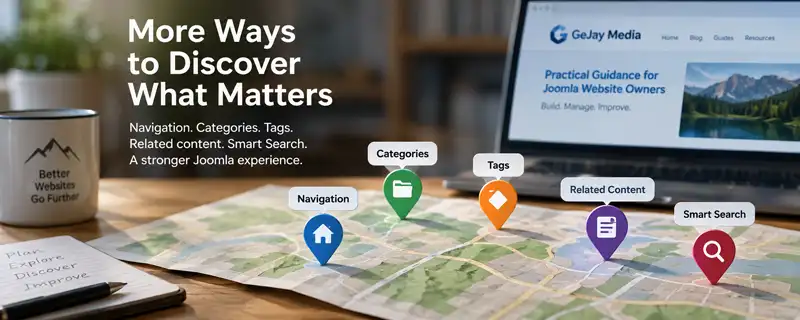
These mechanisms can work together. A visitor might arrive through a menu, read an article, follow a related-content suggestion, and later use Smart Search to look for something more specific.
Discovery and SEO are different problems. Joomla's internal discovery features help people find information after they are interacting with your website. SEO concerns how your pages can be understood and discovered through external search engines. Improving one does not automatically solve the other.
Discovery and SEO are different problems. Joomla's internal discovery features help people find information after they are interacting with your website. SEO concerns how your pages can be understood and discovered through external search engines. Improving one does not automatically solve the other.
Start With Deliberate Navigation
Search should not have to compensate for a website whose basic organization is difficult to understand. Important sections and common destinations should normally be reachable through navigation that reflects how the site's content is organized.
This makes menus more than a collection of links. They are part of the site's broader content structure, providing visitors with visible choices and context.
Search becomes more valuable alongside that structure rather than in place of it. Visitors who understand the site's organization can browse when they want to explore and search when they have a more specific objective.
Categories Create Predictable Areas for Browsing
Categories provide another form of deliberate discovery. They organize articles into defined areas that can be exposed through menu items, blog layouts, article lists, and other Joomla features.
This is useful when visitors want to browse a recognizable subject rather than search for a particular phrase. Someone interested in Joomla articles, for example, may prefer to browse that section and see what is available instead of repeatedly constructing search queries.
Categories also give the publisher a stable organizational structure. An article has a primary place in that structure, which helps Joomla determine how it can be presented through category-based views and navigation.
That makes categories useful for broad organization, but they do not need to describe every subject an article touches. Trying to make the category hierarchy represent every possible relationship can make the structure unnecessarily complicated.
Tags Can Create Relationships Across the Category Structure
Joomla categories and tags approach content organization differently. Instead of defining the primary location of an article, tags can identify subjects or characteristics shared by content that may otherwise belong in different parts of the website.
For example, articles in different categories could all relate to website maintenance. Applying a consistent Maintenance tag creates a reusable relationship between those articles without requiring them to share the same category.
A visitor can encounter that relationship through a tag-based view or another Joomla feature that uses tags as filtering criteria. In that sense, the publisher has already defined part of the discovery process: instead of asking the visitor to search for every possible article about a subject, the tag identifies content known to share that subject.
Categories and tags do not need to duplicate each other. Categories can establish where content belongs in the site's primary publishing structure, while tags can describe reusable relationships that cross that structure.
Related Content Can Bring Discovery to the Reader
Not every discovery process requires the visitor to open a menu, browse a category, select a tag, or enter a search query. Joomla can also present selected articles automatically according to criteria established by the site owner.
An Articles module, for example, can be configured to retrieve articles that match particular conditions. Depending on how the module is configured, those conditions can include categories, tags, publishing information, ordering, and other available filters.
This creates a different kind of discovery experience. The visitor does not have to know that another relevant article exists or decide what query might find it. The website can present a small set of appropriate next choices at the point where they are useful.
A related-articles section at the end of an article is one practical application. If the module draws from a reusable subject tag, new articles carrying that tag can become eligible for the related-content list without manually editing links into every older article.
This approach is particularly useful as a content library grows. Manually maintained lists can become outdated when articles are added, renamed, or reorganized, while a rule-based list can continue retrieving eligible content from the current library.
Automatic Does Not Mean Unplanned
Automated retrieval is only as useful as the rules behind it. A module that selects articles using overly broad criteria may technically find matching content while still producing weak recommendations.
The publisher therefore still makes the important editorial decisions: which relationships matter, how content is classified, what qualifies for a particular list, how many results should appear, and where the list belongs.
Automation handles the retrieval. It does not replace the need for meaningful content organization.
Smart Search Handles Query-Based Discovery
Smart Search becomes useful when a visitor wants to look beyond the paths and relationships already presented by the website. Instead of choosing from predefined navigation or related content, the visitor supplies the words or phrases that describe what they are trying to find.
Joomla uses an index to support this process. Content that can participate in Smart Search is indexed so that Joomla can retrieve potential matches when a visitor submits a query. This is different from simply browsing a category or following a tag relationship because the visitor is defining the immediate subject of the search.
That flexibility makes Smart Search particularly useful on a growing site. As the amount of available content increases, it becomes less practical to expose every useful destination through menus and other visible navigation.
Advanced Search Can Narrow a Broad Query
Joomla can also provide Advanced Search options that allow visitors to narrow the scope of a query. Whether those options are exposed to visitors depends on how the site owner configures Smart Search.
Advanced Search is not required for Smart Search to provide useful results. Joomla's indexed search can continue handling normal queries without presenting visitors with additional filtering controls. The advanced options become more useful when a site contains a large or diverse collection of searchable information and visitors may need to restrict a search to a particular area or type of content.
For a smaller or more focused content library, leaving Advanced Search unavailable can keep the search interface simpler. As the site grows, the site owner can reconsider whether giving visitors more control over the scope of their searches would improve content discovery.
If you want to examine the available Smart Search settings in more detail, Joomla's built-in Help provides contextual information for configuring the component, including its advanced search options. This can be particularly useful when deciding which search controls make sense for your own site rather than simply enabling every available option.
Search Results Depend on What Joomla Can Discover
Smart Search does not independently understand every piece of information stored on a Joomla website. Its results depend on content that can be indexed through Joomla's search system and on the information available to that index.
This means that installing or enabling a search interface is only part of the system. The index needs to contain the content you expect visitors to find, and extensions or other content sources need appropriate Smart Search support if their information is expected to participate.
Publishing state and access levels also matter. Search should not become a way around Joomla's visibility rules. Content that a visitor is not permitted to access should not simply become available because that visitor searched for it.
Search Relevance Is Not the Same as Understanding Intent
A search system can compare a query with the information available in its index, but that does not mean it understands the visitor's objective in the same way another person would.
Titles, wording, content structure, indexed information, and the configuration of the search system can all affect which results appear useful. A visitor may also use terminology that differs from the language used by the publisher.
This is another reason not to make Smart Search responsible for all content discovery. Navigation, categories, tags, and related-content suggestions provide additional context and relationships that do not depend on the visitor guessing the right search terms.
Search is most useful as another route through the content library. It does not need to replace menus, categories, tags, or related-content links. Each mechanism gives visitors a different way to reach information that may be useful to them.
Different Visitors May Discover the Same Content Differently
There is no single discovery path that every visitor will follow. Someone familiar with the subject may know exactly what to enter into Smart Search, while someone encountering it for the first time may not know the terminology needed to construct a useful query.
This is where having several discovery methods becomes valuable. Navigation can introduce the major areas of the site. Categories can provide broader collections to browse. Tags can reveal subject relationships. Related-content lists can suggest an appropriate next step. Smart Search can respond when the visitor wants to look for something directly.
The same article can therefore be discoverable through several routes without requiring those routes to work in the same way.
More Content Makes Discovery More Important
A small website can sometimes rely on relatively simple navigation because there are not many destinations to choose from. As the content library grows, exposing every useful article directly through menus becomes impractical.
Growth makes the relationships between discovery methods increasingly useful. The main navigation can remain focused while categories organize larger collections, tags identify relationships across those collections, related-content systems surface relevant material in context, and Smart Search provides access to the broader indexed library.
This also means content organization has consequences beyond administration. Consistent categories, meaningful reusable tags, understandable titles, and deliberate navigation all help create the information that Joomla can use to present or retrieve content in useful ways.
Do Not Add Discovery Features Just Because They Exist
Joomla provides considerable flexibility, but every additional discovery option creates something that visitors must understand, and site owners must maintain. A site does not automatically become easier to use because it has more menus, more tags, more filters, more related-content lists, and more search controls.
Choose each mechanism because it solves a recognizable discovery problem. If visitors can already reach a small collection easily through navigation, an elaborate search interface may add little value. If a content library spans many subjects and hundreds or thousands of items, stronger search and filtering may become considerably more useful.
The same principle applies to tags and automated article lists. A small set of meaningful relationships can help visitors continue exploring, while excessive or inconsistent classification can make those relationships less useful.
Build Several Useful Paths Through Your Content
Good content discovery does not depend on making one Joomla feature responsible for finding everything. It comes from giving visitors appropriate ways to move through the site according to what they are trying to accomplish.
Use navigation to establish understandable paths. Use categories to organize the primary content structure. Use tags when content shares meaningful relationships across that structure. Use related-content features when useful material can be presented automatically in context. Use Smart Search when visitors need the freedom to define what they are looking for themselves.
As the website grows, review how those methods work together. The objective is not to expose every possible route to every visitor. It is to make useful content reasonably discoverable without requiring people to understand the site's internal organization before they can find it.
Related Joomla Content Articles
Explore additional articles covering Joomla content organization, structure, and publishing.