
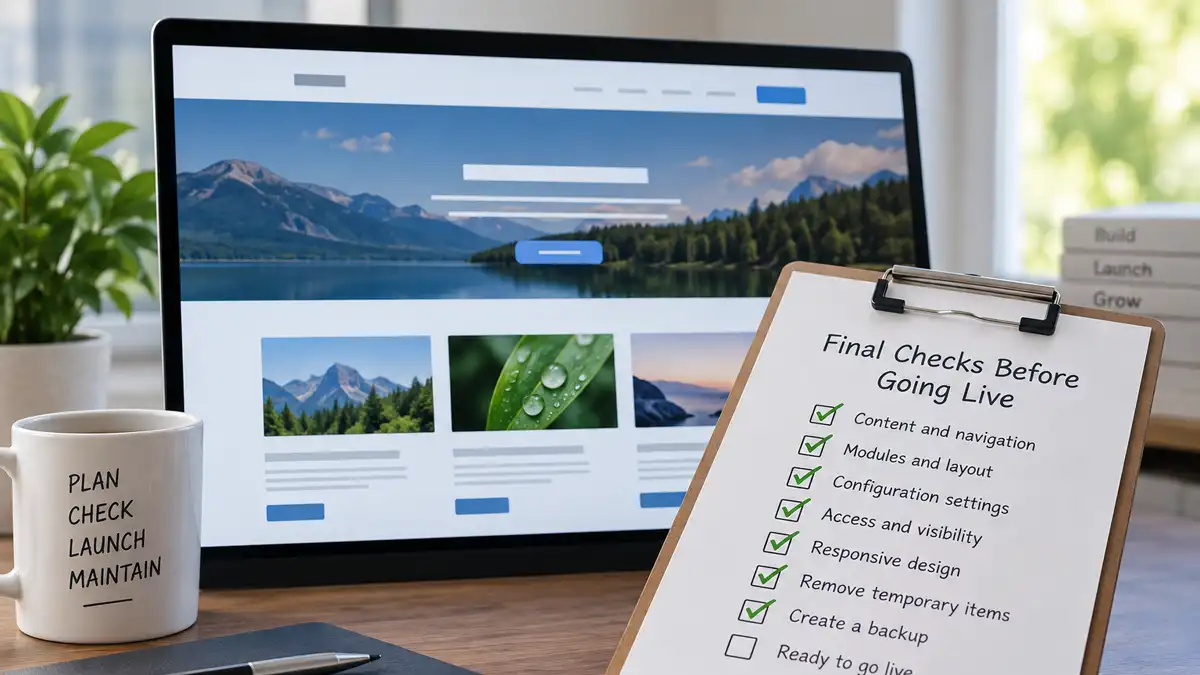
A Joomla website can look finished while still containing problems that only become obvious once you start using it as a visitor. Before making the site public, a final review can catch navigation mistakes, unexpected module assignments, access problems, unfinished content, and configuration choices that do not belong on a production site.
The goal is not to redesign the website at the last minute or keep delaying launch in pursuit of perfection. By this stage, the site's basic structure and content should already be established. The final pass is about confirming that what you built behaves the way you intended.
It also establishes a useful starting point for future maintenance. Once you know the site was working properly at launch, later changes and problems are easier to evaluate against that known-good state.
Know Where You Are Making the Final Changes
Not every Joomla website is built directly on its eventual live server. Some site owners develop locally on their own computer, while others use a separate staging or development site before moving approved changes into production. Others build directly on the live server while keeping the site unavailable or restricted until it is ready.
Each approach changes how you should think about the final review. A local or staging environment gives you more freedom to make substantial changes, test unfamiliar settings, or recover from mistakes without immediately affecting the public website. It can be particularly useful when a site still needs structural or technical work rather than a few minor adjustments.
Working directly on the production server can also be practical, especially for a new site that has not launched yet, but it requires more awareness of what is already publicly accessible and what could be affected by a change. Simply placing a site offline does not turn the production environment into a separate development environment.
Whichever workflow you use, know which environment contains the version you intend to launch. Complete substantial experimentation before the final production review, then make sure the approved site and its production configuration are the versions that actually go public.
Local development and staging deserve their own workflow. The purpose here is only to establish where your final Joomla checks are taking place. Moving a site between environments introduces additional considerations involving configuration, databases, files, URLs, extensions, and server differences that should be handled deliberately.
Review the Website as a Visitor First
Before returning to Joomla's administrator interface, spend some time using the public side of the website. This changes the perspective from how the site was built to how someone actually experiences it.
Start with the home page and follow the site's primary navigation. Visit important sections, open representative articles or other content, and follow links that a typical visitor might use.
Look for problems such as:
- Menu items that lead somewhere unexpected
- Links that are broken or still point to temporary content
- Navigation labels that no longer describe their destinations accurately
- Pages that appear incomplete or out of place
- Images or other media that fail to load correctly
- Content that is difficult to reach through the site's normal navigation
Try not to compensate for problems simply because you know where everything is. A navigation path that makes sense only because you built the site may not be clear to someone seeing it for the first time.
Check Content and Navigation Together
In Joomla, content organization and navigation are related, but they are not the same thing. Categories organize articles, while menu items determine many of the pages and navigation paths visitors actually use. If the underlying architecture still needs attention, planning the website's content structure should happen before treating the site as launch-ready.
During the final review, make sure those systems support each other rather than checking them independently. Important content should be organized intentionally and reachable through an appropriate path, while menu items should lead to the content or views you expect.
Check for:
- Articles assigned to the intended categories
- Category names and hierarchy that still reflect the site's structure
- Unused or temporary categories that should not remain
- Menu items pointing to the correct articles, categories, or other views
- Placeholder or test menu items that should be removed or unpublished
- Internal links that still work after content or aliases have changed
If you discover a major structural problem at this stage, do not automatically rebuild the site around it. Determine whether it is a genuine launch blocker or an improvement that can be planned after launch. The purpose of the final review is to identify problems, not to turn every possible improvement into an emergency.
Check Modules and Their Page Assignments
A module can be configured correctly and still appear on the wrong pages. Understanding how Joomla module positions and page assignments work together can help when something appears in an unexpected location. Before launch, review important module positions and menu assignments from the public side of the site rather than assuming that administrator settings produced the intended result.
Pay particular attention to modules that appear only in certain sections, on the home page, or alongside specific menu items. Look for missing modules, unexpected duplication, content appearing in the wrong position, or modules continuing to display where they are no longer needed.
This is also a good time to check representative pages that use different layouts. A module problem may not be obvious on the home page but can become noticeable on an article, category view, or another menu context.
Review Important Joomla Configuration
Before launch, review the Joomla settings that can affect how the production site behaves. This is not a reason to change settings simply because they are available. The objective is to confirm that important configuration choices are intentional and appropriate for the site you are about to make public.
Areas worth reviewing include:
- Site name and other basic site information
- SEO and URL-related settings
- Cache settings, if caching is being used
- Session-related settings that were changed during development
- Error reporting and debugging options
- Default editor, media, and other settings that affect normal administration
Pay particular attention to anything that was changed temporarily while building or troubleshooting the site. Development-oriented settings can be useful while diagnosing a problem but may be inappropriate once the site is public.
Final review does not mean final experimentation. If an unfamiliar Joomla setting has not caused a problem during development, launch day is usually a poor time to change it merely because you noticed it. Understand what the setting does and have a reason for changing it.
Verify Access and Visibility
Access problems can be easy to miss when most of the site has been tested while logged in as an administrator. Before launch, check important areas from the perspective of the users who are actually supposed to see them. If you need a refresher on visibility, review how Joomla access levels control who can see your content before testing the site's public and restricted areas.
At minimum, confirm that:
- Public content is visible when you are logged out
- Content intended for registered or restricted users is not exposed publicly
- Menu items and modules follow the visibility rules you expect
- Administrative access is limited to the accounts that require it
You do not need to redesign Joomla's access-control structure during this review. If the site uses more complicated user groups, access levels, or permissions, however, test representative accounts rather than assuming that the configuration works because it looks correct in the administrator interface.
The important question at this stage is simple: can each type of user see and access what you intended, without gaining access to something they should not?
Test the Site at Different Screen Sizes
A site that works well on your usual computer is not necessarily ready for visitors using smaller screens. Before launch, check representative pages at desktop and mobile sizes and, where practical, on more than one actual device.
Focus on usability rather than trying to inspect every possible screen width. Check whether:
- Primary navigation remains usable
- Text is readable without awkward horizontal scrolling
- Images and other media fit their available space
- Tables or other wide content remain usable
- Buttons, forms, and interactive elements can be used comfortably
- Modules and other layout elements appear in a sensible order
Test more than the home page. Articles, category views, forms, and pages with different module combinations can expose responsive problems that a single page does not reveal.
If you find a minor visual imperfection that does not interfere with using the site, it may be reasonable to address it after launch. Broken navigation, unreadable content, inaccessible controls, or layouts that prevent someone from completing an important task deserve attention before the site goes public.
Remove Leftover Development Material
Website development tends to leave temporary material behind. Some of it may be unpublished and harmless, while other remnants can become confusing once the site enters normal use.
Look for obvious leftovers such as:
- Test or placeholder articles
- Temporary menu items
- Modules created only for layout testing
- Unused categories created during experimentation
- Sample content that was never intended for the finished site
- Temporary messages, notes, or debugging output visible on the public site
Do not turn this into an aggressive administrator cleanup immediately before launch. An item that looks unused may still have a purpose or dependency you have forgotten. Remove material when you understand what it is and know that the site no longer needs it.
The objective is a clean production starting point, not an administrator interface containing the fewest possible items.
Create a Known-Good Backup Before Launch
Once the final changes are complete and the site is behaving as intended, create a backup that represents the version you are prepared to put into production. This gives you a recovery point before launch introduces normal activity, future updates, content changes, and additional configuration work. Your ongoing backup schedule is a separate consideration, including how often you should back up the website after it enters normal operation.
A useful pre-launch backup should include the parts of the site required for recovery, including the Joomla files and database. More importantly, it should be a backup you understand how to restore rather than simply a file that exists somewhere.
If you developed the site locally or in a separate staging environment, think about the timing of this backup carefully. A backup of the development environment is useful, but it does not necessarily represent the final production site after migration, server-specific configuration, or other deployment changes. Once the production version has been verified, preserve that known-good state as well.
Keep the backup somewhere appropriate rather than relying entirely on a copy stored with the website itself. The objective is to have a recovery point available if something goes wrong after launch.
Decide Which Problems Actually Block Launch
A final review will often uncover things you would like to improve. Finding them does not automatically mean the website should remain unpublished.
Separate genuine launch problems from improvements that can be scheduled afterward. A problem deserves immediate attention when it prevents visitors from using an important part of the site, exposes something that should be restricted, produces incorrect or unfinished content, breaks important navigation, or creates a significant technical or operational risk.
Other findings may be legitimate improvements without being launch blockers. A minor spacing issue, wording you would like to refine, an administrator area you could organize better, or a feature you plan to expand later does not necessarily prevent the existing site from doing its job.
This distinction helps prevent the final review from becoming an endless cycle of last-minute changes. Launch readiness is not the same as perfection.
Know When the Joomla Site Is Ready
A site is reasonably ready to go live when its important content and navigation work, expected users can access what they should, layouts remain usable across representative devices, production configuration has been reviewed, obvious development material has been addressed, and a reliable recovery point exists.
You should also be able to explain any known issue you are choosing to leave for later. An intentional post-launch task is different from a problem that was never noticed.
If the review reveals major uncertainty about the site's structure, access rules, deployment, or ability to recover from a failure, resolving that uncertainty before launch is usually more important than meeting an arbitrary publication date.
Going Live Begins the Maintenance Phase
Launching a Joomla website does not freeze it in its finished state. Content will change, Joomla and extensions will receive updates, configuration may evolve, and new requirements will appear over time.
The value of a structured pre-launch review is therefore not limited to launch day. It establishes a known starting point: you know how the site was organized, how it was expected to behave, and that important functions were checked before normal operation began.
From that point forward, updates, backups, monitoring, content management, and other maintenance work become part of keeping the site dependable.
A final Joomla check is successful when you can stop asking whether every detail is perfect and instead answer a more useful question: Is this site ready to be used and maintained as a production website?
Related Website Maintenance Articles
Explore additional articles covering website maintenance, stability, updates, and long-term site management.