
GeJay Media commercial Joomla templates include an update system that allows eligible customers to receive template updates through Joomla's built-in extension updater.
To enable these updates, you need to enter your GeJay Media update key into your template settings. This tutorial explains where to find your key and how to activate it.
Step 1: Log In to GeJay Media
- Visit the GeJay Media website.
- Click the Login link in the top-right corner.
- Enter your account credentials and log in.
- After logging in, you will be redirected to the My Account page.
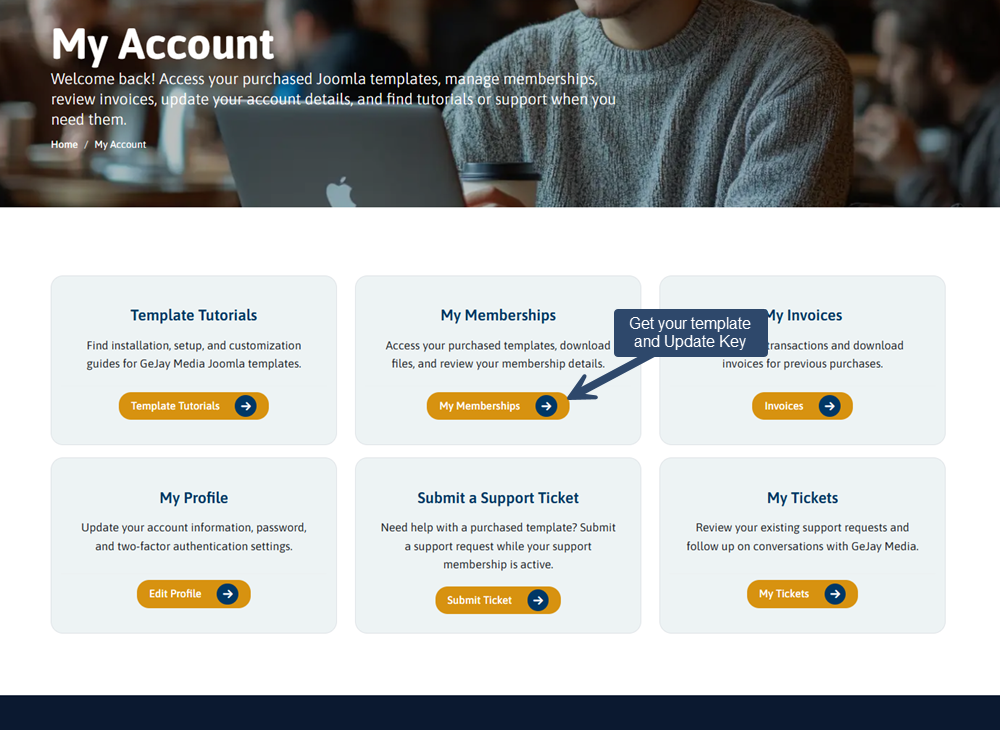
Step 2: Locate Your Update Key
- From the My Account page, click My Memberships.
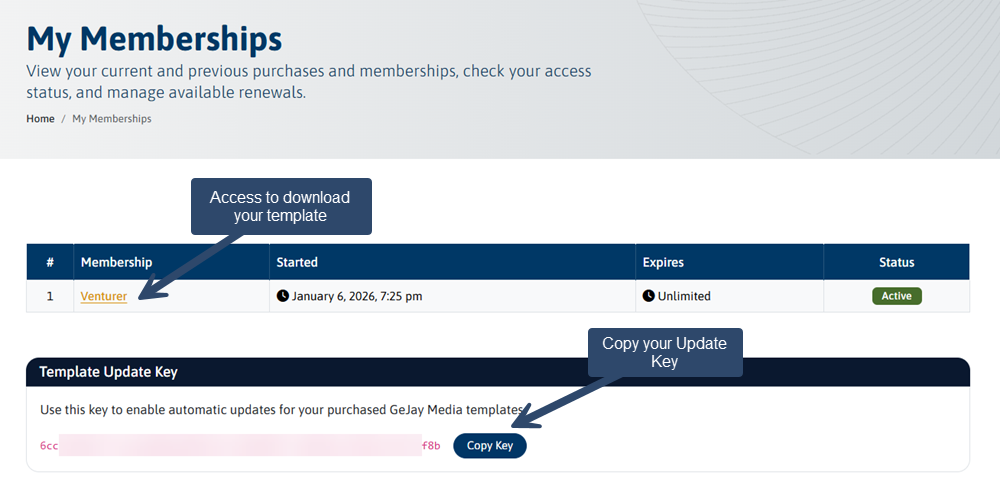
- Locate the membership associated with your purchased template.
- On the membership page, find your Update Key.
- Click the copy button to copy the key to your clipboard.
Your update key is associated with your GeJay Media membership. Keep it private and do not share it publicly.
Step 3: Open Your Joomla Template Settings
Next, log in to the administrator area of the Joomla website where your GeJay Media template is installed.
- From the administrator menu, select System.
- Under Templates, select Site Template Styles.
- Click the name of your installed GeJay Media template style to open its settings.
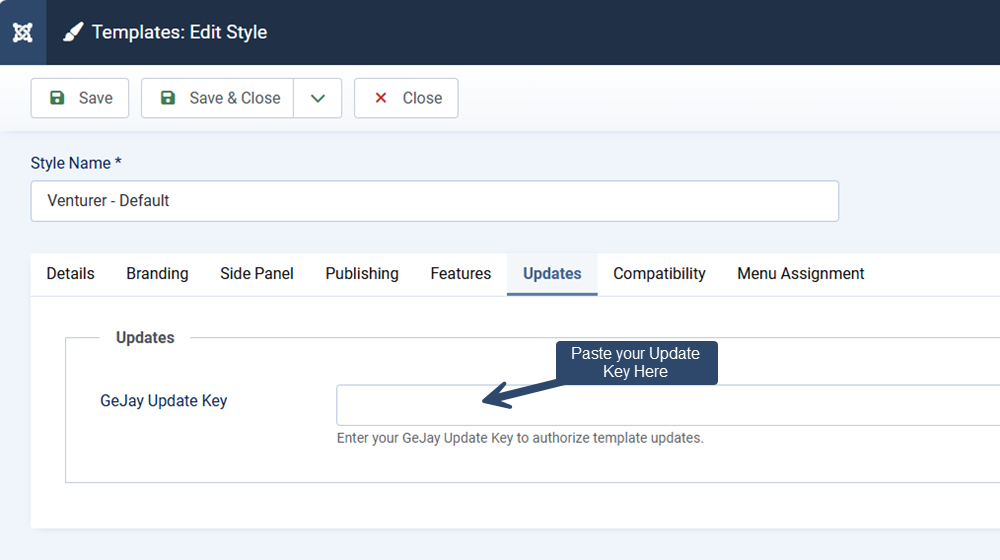
- Select the Updates tab.
Step 4: Enter Your Update Key
- Locate the Update Key field.
- Paste the key you copied from your GeJay Media membership page.
- Click Save & Close to save your template settings.
Your update key is now saved in your template configuration.
Keeping Your Template Updated
Once your update key has been configured, Joomla can use it when requesting eligible updates from the GeJay Media update server.
When an update becomes available, you can manage it through Joomla's extension update interface.
For instructions on checking for and installing updates, see the Updating a GeJay Media Joomla Template tutorial.
Troubleshooting
I can't find my update key
Confirm that you're logged in to the GeJay Media account associated with your template membership. Navigate to My Account and open My Memberships to locate the appropriate template membership.
I can't find the Updates tab
Make sure you're editing the settings for your installed GeJay Media template, rather than Joomla's default template or another template style.
I've entered my key, but updates aren't appearing
Saving your update key does not necessarily mean an update is available. Updates will appear when a newer eligible version has been released and Joomla has checked for available updates.