

Website performance is often treated as a feature that can be added or removed at will. Install the right plugin, flip the right setting, or follow a checklist, and performance is expected to improve. In practice, performance is not a single component but the outcome of many interconnected decisions working together.
Why Performance Problems Rarely Have Single Causes
Slow websites are rarely slow for one clear reason. Performance issues tend to emerge from combinations of factors: hosting limitations, content structure, extension behavior, theme choices, and accumulated configuration decisions made over time.
Because these factors interact, addressing performance in isolation often produces inconsistent results. A plugin may improve one metric while worsening another, or a server upgrade may expose inefficiencies that were previously hidden. Performance gains achieved without understanding the broader system are often fragile.
This is why performance advice can feel contradictory. Recommendations that work well in one context may fail entirely in another, not because the advice is wrong, but because the underlying systems differ.
Performance Emerges From Structure, Not Tweaks
When people think about website performance, they often focus on individual fixes. A faster hosting plan, a caching plugin, or a new optimization setting can feel like direct solutions. Sometimes these changes help, but they rarely solve performance issues on their own.
Performance is shaped by how a site is put together. The way content is structured, how pages are built, how extensions interact, and how much work the site asks the server to do all play a role. These factors influence each other, which is why small changes can have unexpected effects.
For example, adding more content to a page may increase load time slightly. Adding a complex layout may increase it further. Installing multiple plugins that all modify page output can compound the effect. None of these choices is wrong by itself, but together they form a system that determines how fast the site feels to visitors.
This is also why performance tools sometimes produce confusing results. One tool may show improvement after a change, while another highlights new issues. Each tool measures a different part of the system, and improvements in one area can reveal weaknesses in another.
Thinking about performance as a system helps explain why there is no universal checklist that works for every site. What matters is how the pieces fit together, not whether any single piece is considered “optimized.”
Why Performance Advice Feels Inconsistent
One of the most frustrating aspects of website performance for beginners is that advice often feels inconsistent or even contradictory. One article recommends a specific plugin, another warns against using it. One guide emphasizes hosting, while another focuses entirely on themes or extensions.
This happens because performance advice is usually given in isolation, while real websites operate as systems. Recommendations are often based on a specific setup, problem, or constraint that may not exist on another site.
Common reasons performance advice feels unreliable include:
- The advice assumes a different hosting environment
- The site structure is simpler or more complex than yours
- The content volume is much smaller or larger
- Different plugins or extensions are already in use
- The advice targets a specific performance metric, not overall behavior
When these differences aren’t obvious, it can feel like performance optimization is guesswork. In reality, the advice may be correct — just not for your particular combination of choices.
Performance tools and recommendations are not lying to you. They are reporting on one part of the system at a time. Confusion usually comes from trying to apply isolated fixes to a system-level problem.
This is also why copying another site’s setup rarely produces the same results. Even small differences in content structure, layout complexity, or extension behavior can change how performance improvements play out.
Looking at performance systemically helps filter advice more effectively. Instead of asking, “Does this plugin work?” the more useful question becomes, “What part of my site is actually under strain, and why?”
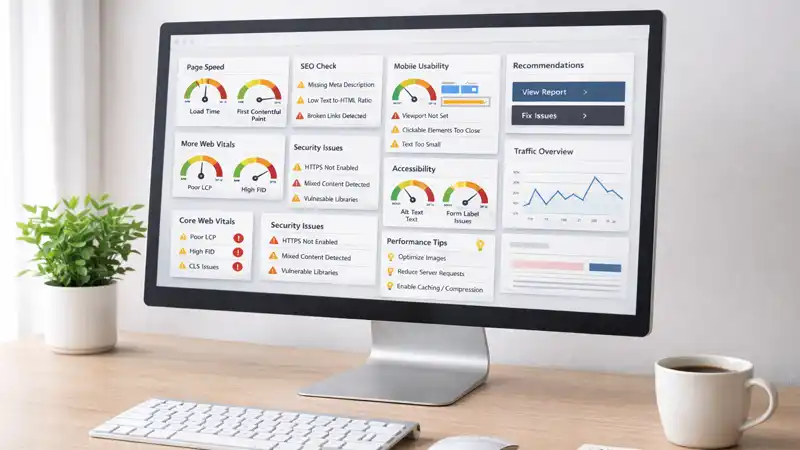
The Layers That Influence Website Performance
Thinking about performance as a system becomes easier when the site is viewed in layers. Each layer contributes to how fast a site feels, how reliably it loads, and how much effort is required to keep it running smoothly. Problems usually arise when multiple layers are under strain at the same time.
These layers are not strictly technical in the sense of requiring deep expertise. They are practical groupings that help explain where performance pressure often comes from.
| Layer | What It Affects | Common Beginner Issues |
|---|---|---|
| Hosting & Server | How quickly pages are delivered | Shared hosting limits, outdated server software |
| CMS & Extensions | How much processing happens per page | Too many plugins are doing overlapping work |
| Content & Structure | How much data is loaded per page | Very long pages, heavy media, complex layouts |
| Theme & Templates | How pages are assembled and displayed | Overly flexible themes with unused features |
Each layer can influence the others. Improving one area may expose limitations elsewhere. For example, moving to better hosting may make a slow plugin more noticeable, while simplifying a layout may reveal that server response time was never the real issue.
This layered view also helps explain why performance fixes often feel temporary. Addressing one layer without considering the others can improve symptoms without resolving the underlying strain.
For beginners, the key takeaway is not to master each layer, but to recognize that performance problems rarely live in only one place. Seeing the site as a collection of interacting parts makes troubleshooting less intimidating and more methodical.
Sustainable Performance Comes From Fewer Surprises
For beginners, performance problems are often stressful, not because the site is slow, but because the slowdown feels sudden and unexplained. A site that worked fine yesterday now feels sluggish, and it isn’t clear what changed or why. Sustainable performance reduces these surprises.
When a site is treated as a system, changes tend to be smaller and more predictable. Content is added gradually, extensions are introduced with intention, and updates are made with an understanding of what part of the site they affect. As a result, performance shifts are easier to notice and easier to attribute to specific causes.
Sites that rely on one-off fixes tend to experience sharper performance swings. A new plugin promises improvement, an update introduces unexpected behavior, or a hosting change reveals hidden inefficiencies. Each surprise erodes confidence and makes future changes feel riskier.
Sustainable performance is closely tied to maintenance habits. Regular updates, periodic reviews of installed extensions, and an awareness of how content is growing all help keep the system balanced. These habits don’t require deep technical knowledge, but they do require consistency.
A fast site that feels unpredictable is often more frustrating than a slightly slower site that behaves consistently. For most small website owners, confidence and clarity matter more than chasing perfect performance scores.
Over time, fewer surprises lead to better decisions. Instead of reacting to problems under pressure, site owners can adjust performance gradually, choosing when and how to improve rather than being forced into urgent fixes.
Performance Is a Byproduct of How a Site Is Managed
Website performance is not something that can be bolted on after the fact. It reflects how a site has been built, maintained, and evolved. The choices made about structure, content, extensions, and workflows all leave a performance footprint.
For beginners, this perspective can be reassuring. Performance issues are rarely a sign that something was done wrong. More often, they are a signal that the site has grown and that its system needs to be understood more clearly.
By treating performance as a system rather than a plugin, improvements become less about chasing fixes and more about making informed decisions. Changes can be planned, evaluated, and reversed when necessary, reducing anxiety and improving long-term outcomes.
This way of thinking also aligns performance with stability. A site that is easy to maintain, easy to understand, and resilient to change tends to perform more reliably over time, even if it is never “perfectly optimized.”